ColossusTVCAPTURE DECK

Themes

The deck can look like six machines. A theme changes how things look and where they sit, never what can be set: every one has every menu, key and reading. The previews are drawn by ColossusTV itself.

The themes

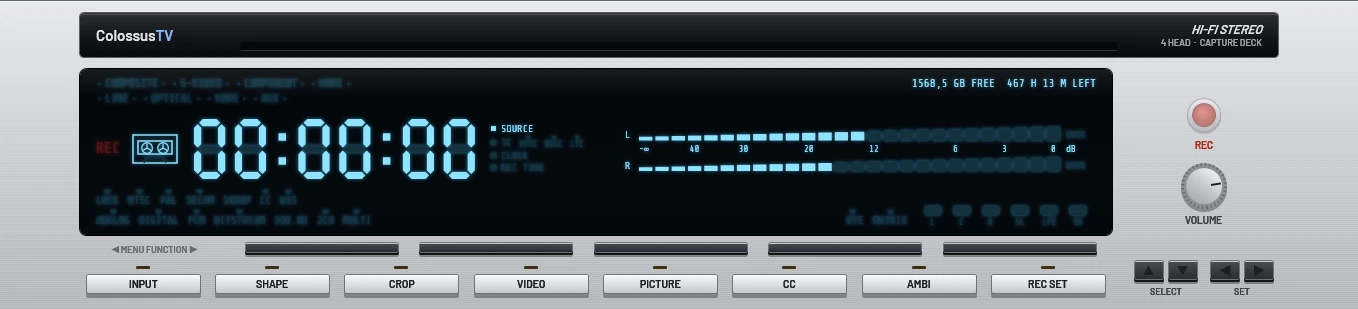
BLACK DECK

AV deck, late 1990s

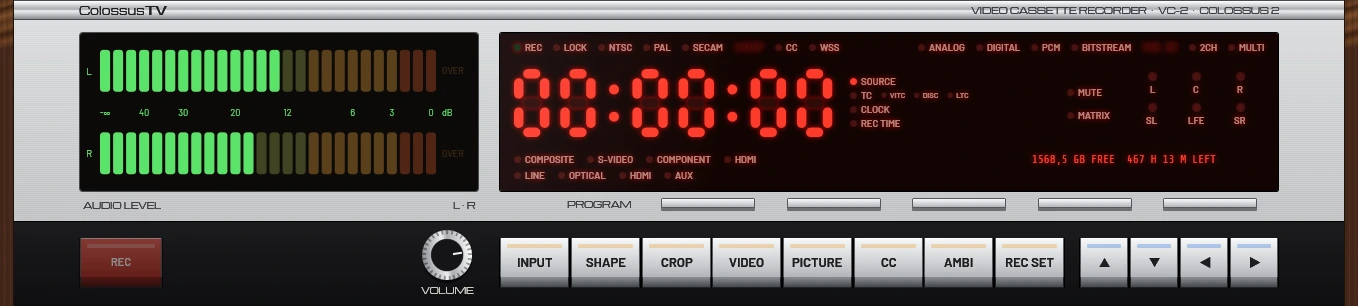
The BLACK DECK faceplate: Peak bars.
Peak bars
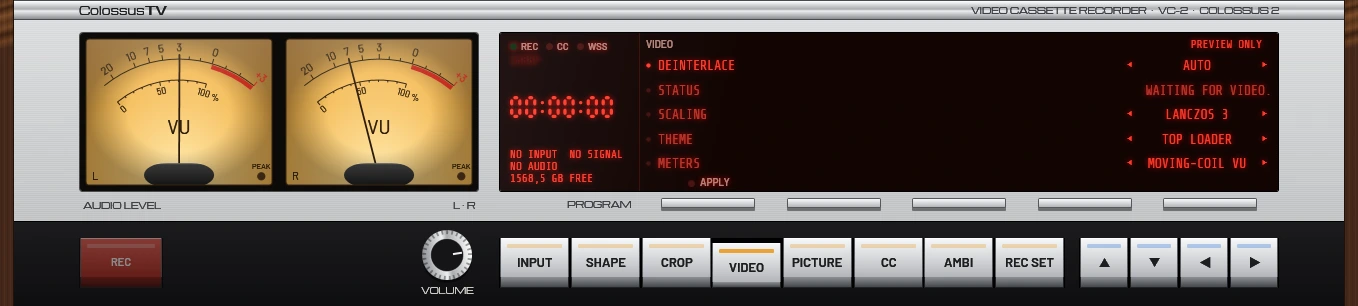
The BLACK DECK faceplate: VU needles.
VU needles
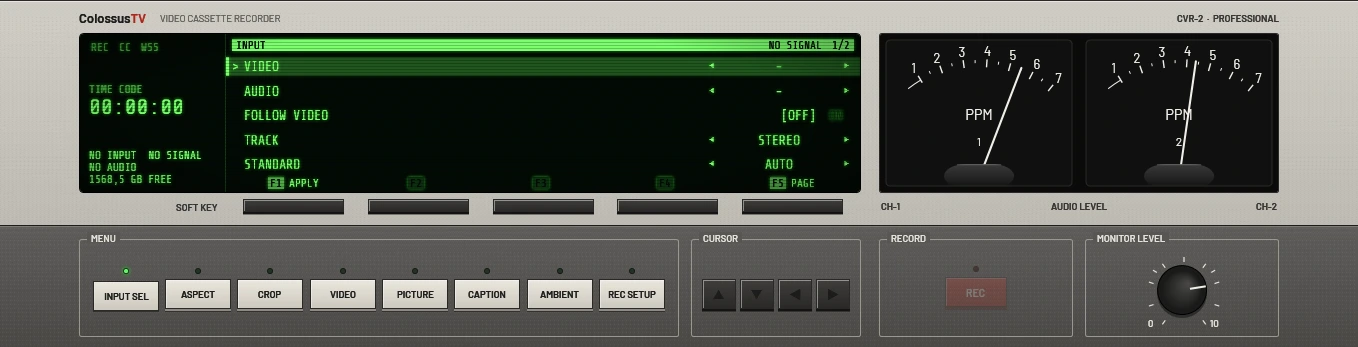
The BLACK DECK faceplate: VIDEO menu.
VIDEO menu
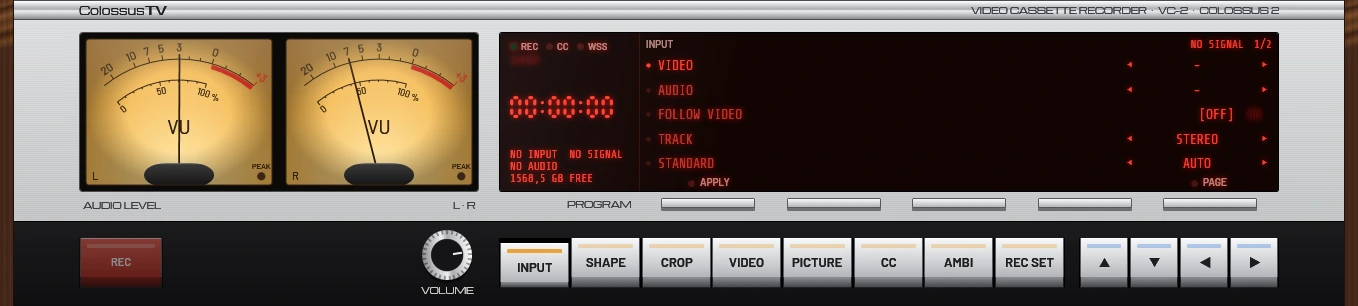
The BLACK DECK faceplate: INPUT menu.
INPUT menu
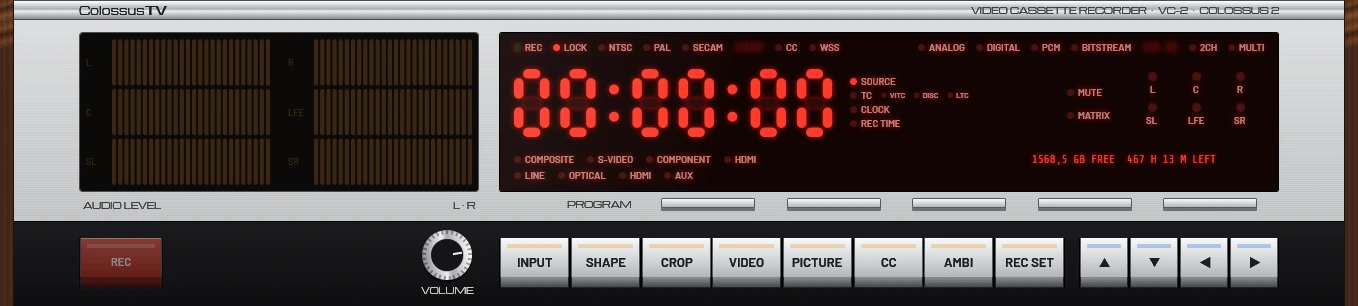
The BLACK DECK faceplate: Surround.
Surround
The BLACK DECK faceplate: Timecode.
Timecode

A black anodised AV deck of the late 1990s with a cyan fluorescent display. It is the look ColossusTV comes with, and the one this website wears.

Its level meters: Peak bars and VU needles. A click on the meters, or VIDEO’s METERS line, steps between them.

Built in. There is nothing to download: it is the deck ColossusTV starts with.
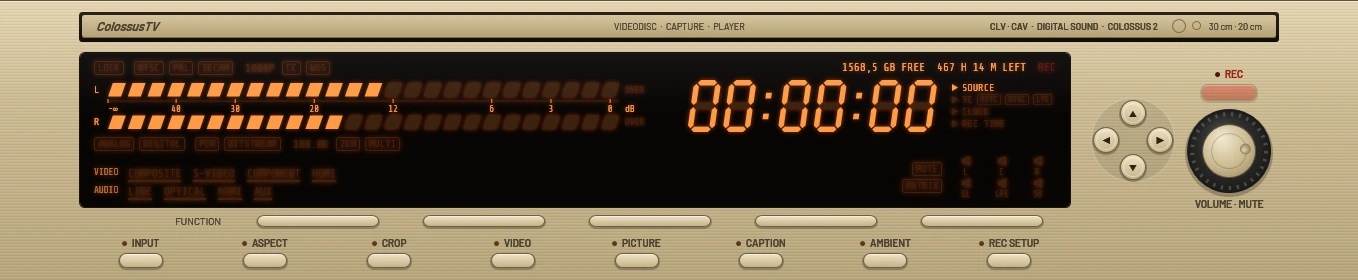
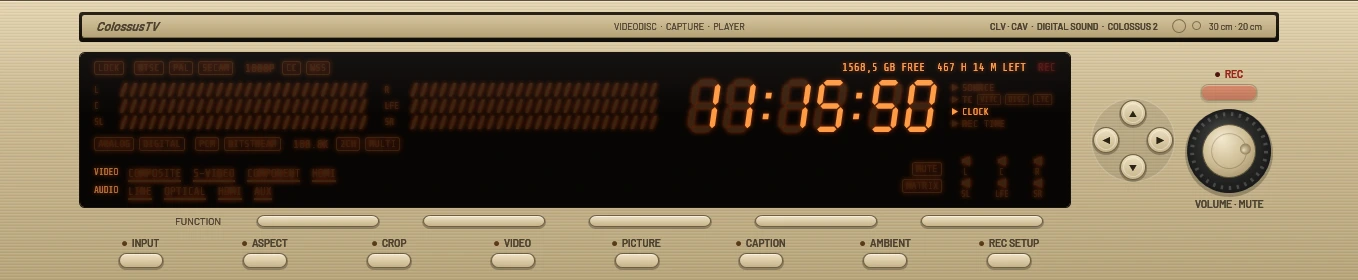
VIDEODISC

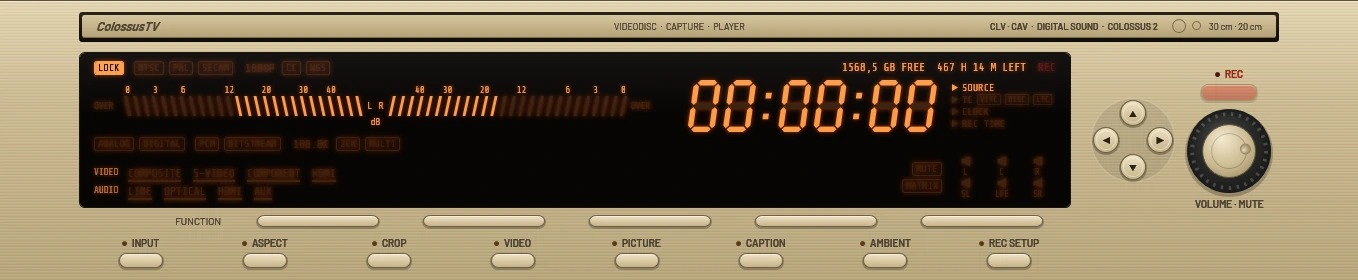
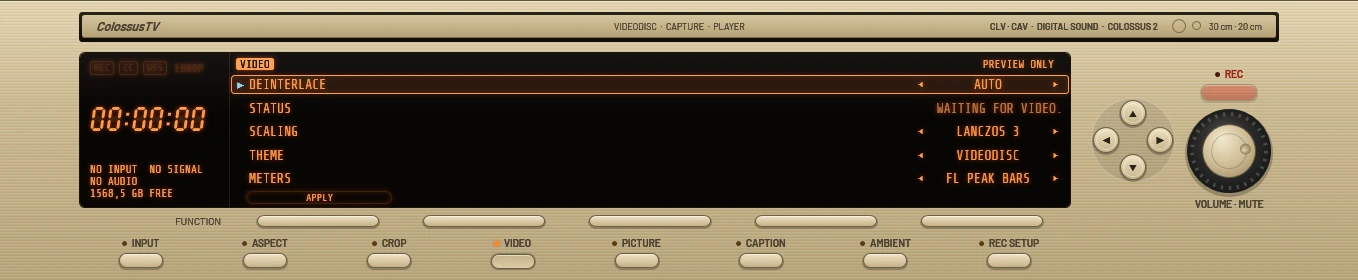
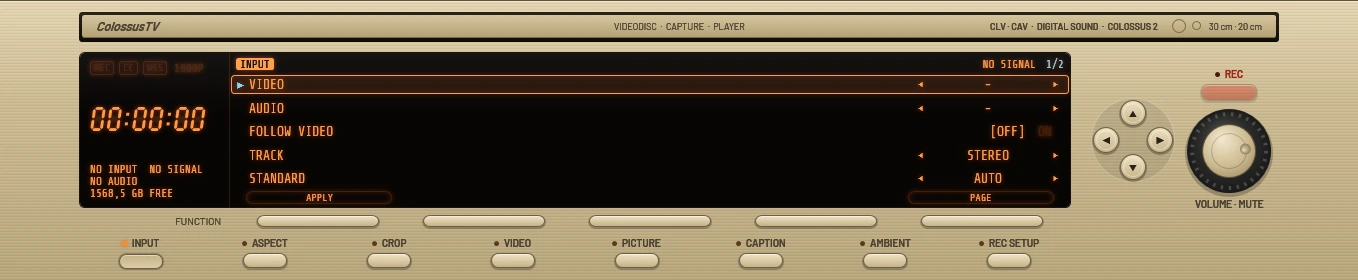
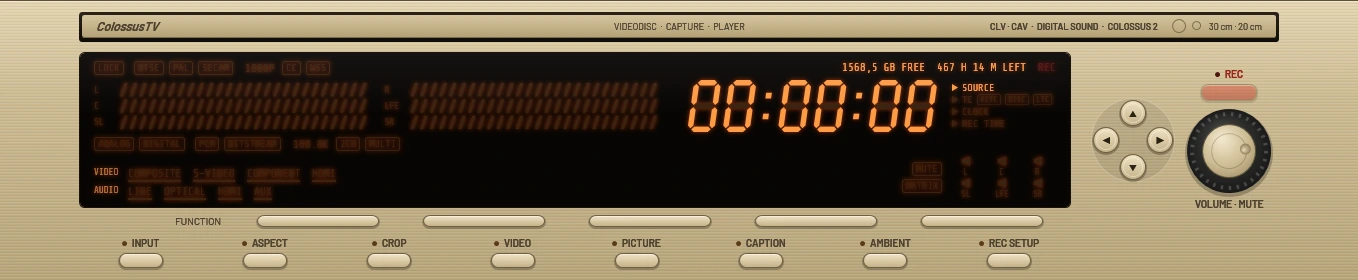
Laser videodisc player, early 1990s

The VIDEODISC faceplate: FL peak bars.
FL peak bars
The VIDEODISC faceplate: FL mirror bars.
FL mirror bars
The VIDEODISC faceplate: VIDEO menu.
VIDEO menu
The VIDEODISC faceplate: INPUT menu.
INPUT menu
The VIDEODISC faceplate: Surround.
Surround
The VIDEODISC faceplate: Timecode.
Timecode

A champagne-gold laser videodisc player of the early 1990s: a disc tray across the top, an orange fluorescent display, a jog dial.

Its level meters: FL peak bars and FL mirror bars. A click on the meters, or VIDEO’s METERS line, steps between them.

Download for ColossusTV 0.3.5-beta, MIT licence

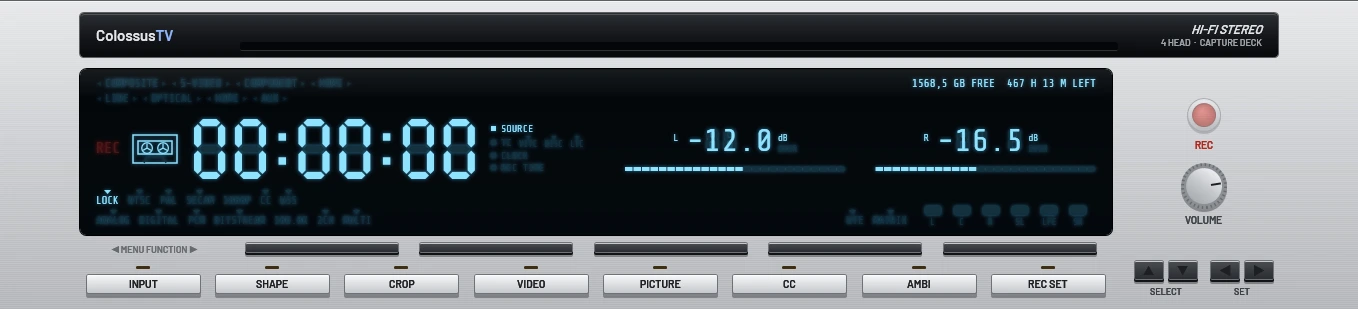
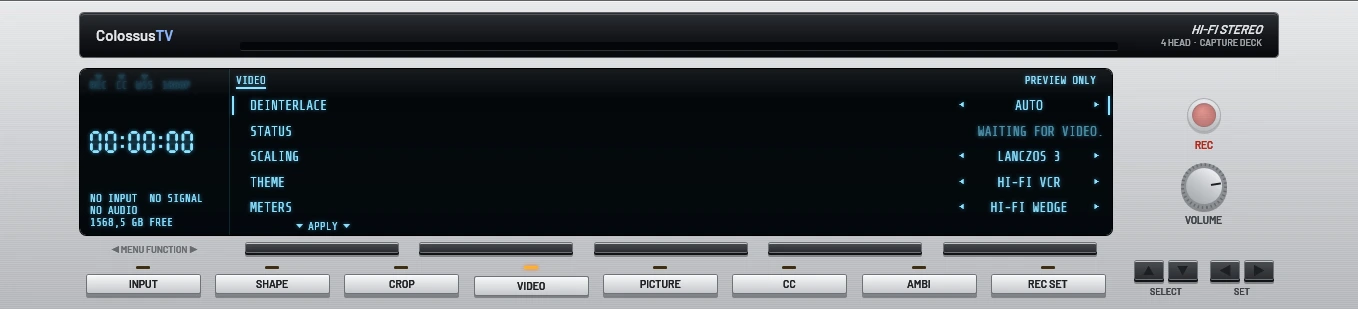
HI-FI VCR

Hi-fi stereo VHS deck, late 1980s

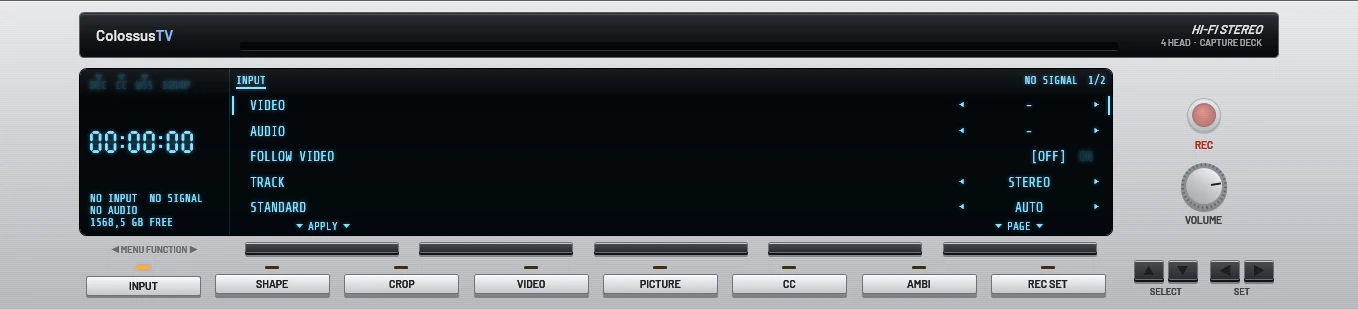
The HI-FI VCR faceplate: Hi-fi wedge.
Hi-fi wedge
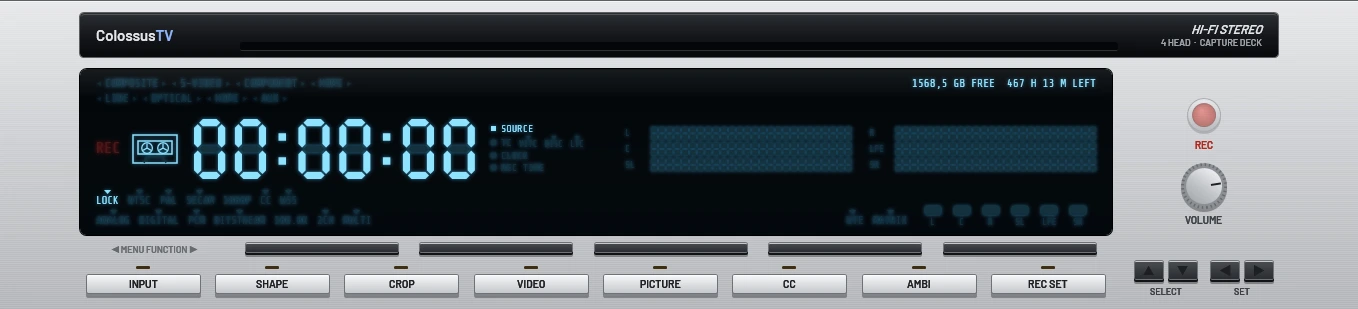
The HI-FI VCR faceplate: Peak readout.
Peak readout
The HI-FI VCR faceplate: VIDEO menu.
VIDEO menu
The HI-FI VCR faceplate: INPUT menu.
INPUT menu
The HI-FI VCR faceplate: Surround.
Surround
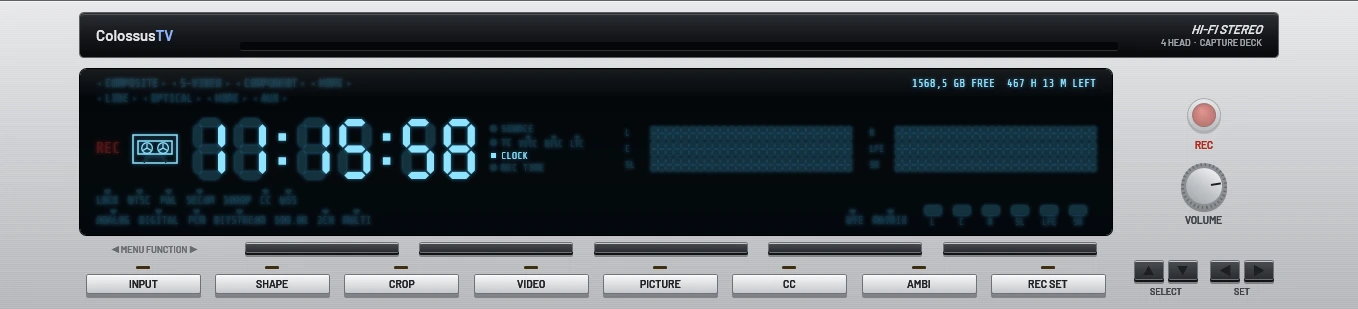
The HI-FI VCR faceplate: Timecode.
Timecode

A silver front-loading hi-fi stereo VHS deck of the late 1980s: a cassette door, a blue fluorescent display, a row of rectangular keys.

Its level meters: Hi-fi wedge and Peak readout. A click on the meters, or VIDEO’s METERS line, steps between them.

Download for ColossusTV 0.3.5-beta, MIT licence

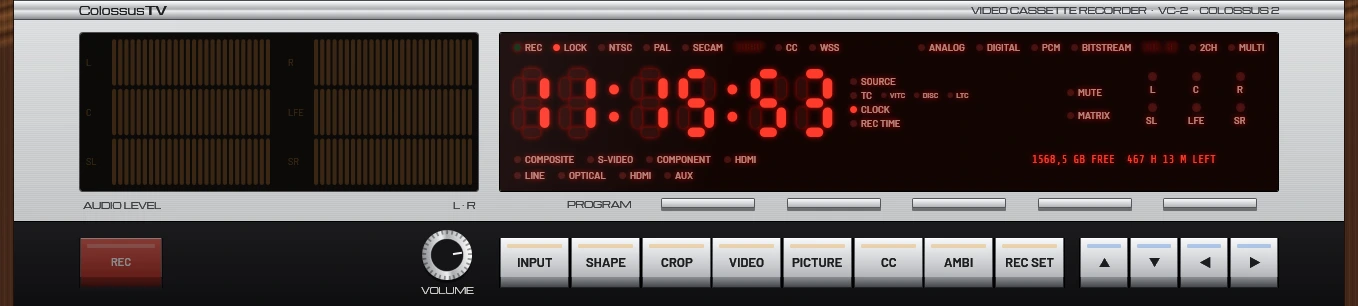
TOP LOADER

Top-loading video cassette recorder, about 1980

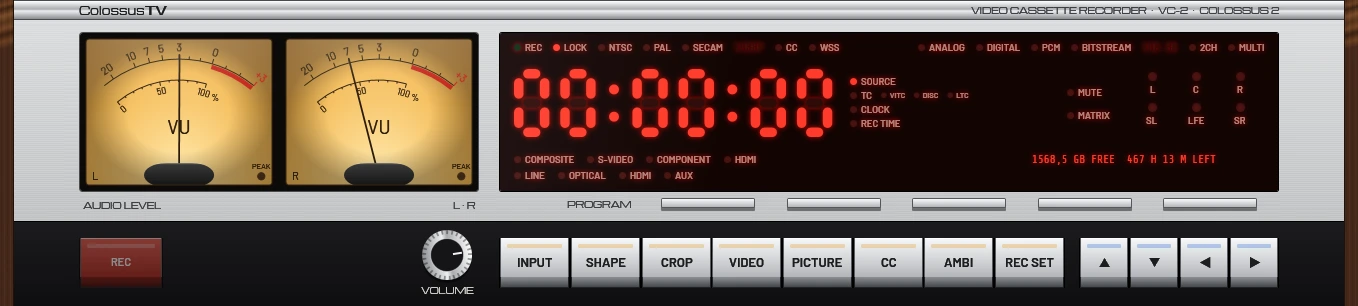
The TOP LOADER faceplate: Moving-coil VU.
Moving-coil VU
The TOP LOADER faceplate: LED ladder.
LED ladder
The TOP LOADER faceplate: VIDEO menu.
VIDEO menu
The TOP LOADER faceplate: INPUT menu.
INPUT menu
The TOP LOADER faceplate: Surround.
Surround
The TOP LOADER faceplate: Timecode.
Timecode

A top-loading video cassette recorder of about 1980: walnut end cheeks, piano keys, a red LED clock and backlit moving-coil meters.

Its level meters: Moving-coil VU and LED ladder. A click on the meters, or VIDEO’s METERS line, steps between them.

Download for ColossusTV 0.3.5-beta, MIT licence

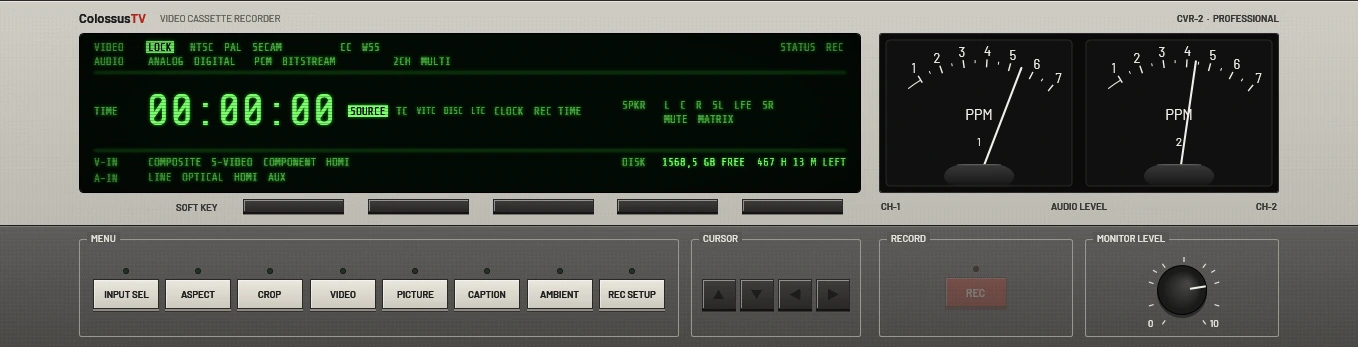
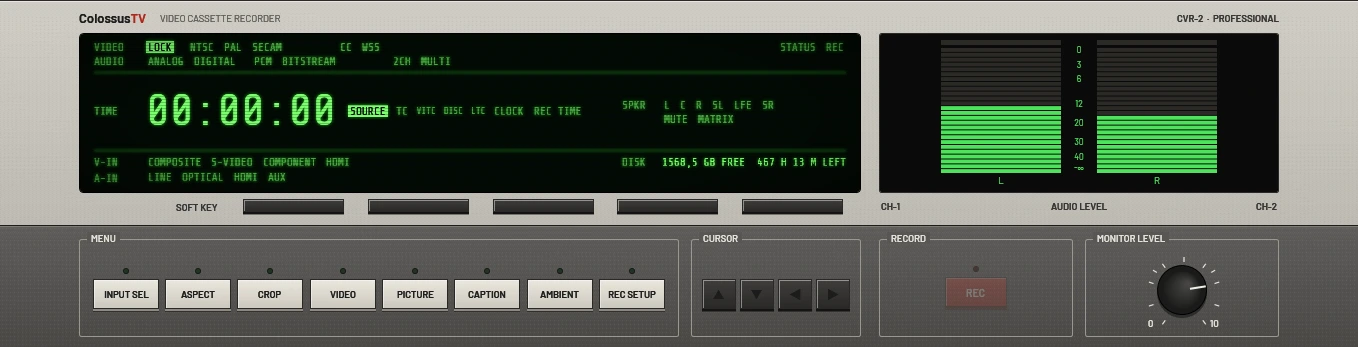
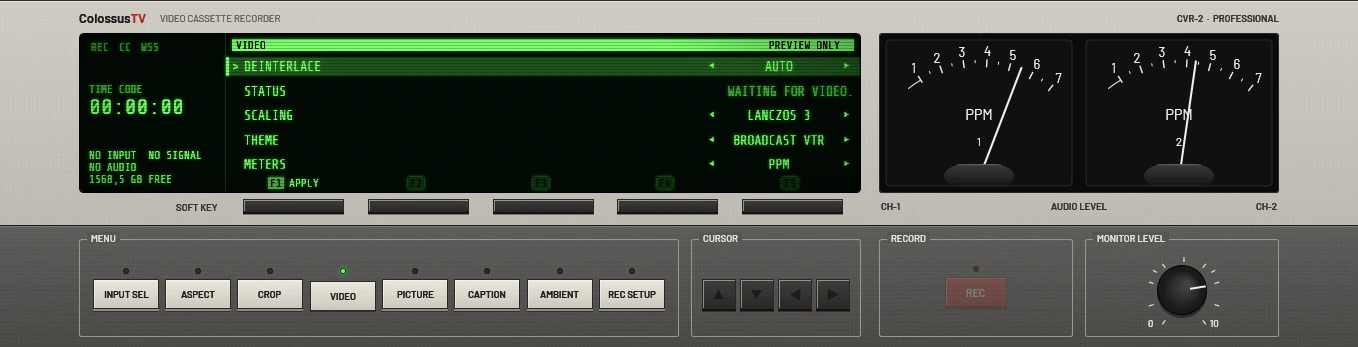
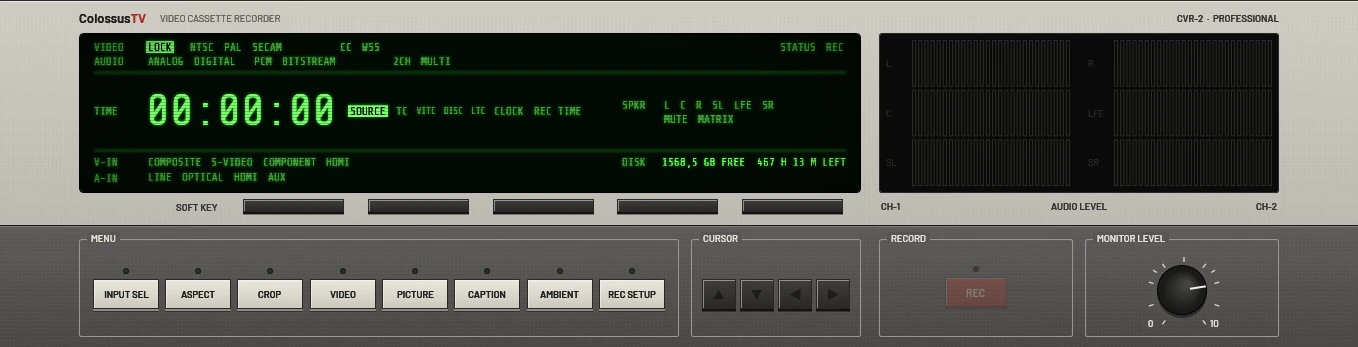
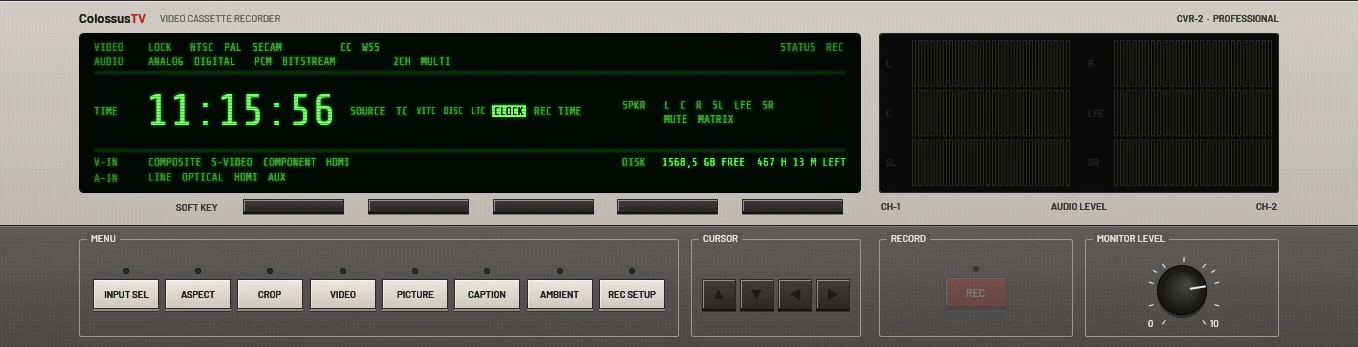
BROADCAST VTR

Studio video tape recorder

The BROADCAST VTR faceplate: PPM.
PPM
The BROADCAST VTR faceplate: Bargraph.
Bargraph
The BROADCAST VTR faceplate: VIDEO menu.
VIDEO menu
The BROADCAST VTR faceplate: INPUT menu.
INPUT menu
The BROADCAST VTR faceplate: Surround.
Surround
The BROADCAST VTR faceplate: Timecode.
Timecode

A studio video tape recorder: a grey two-tone console, square keys with lamps, a meter bridge and a green phosphor status screen.

Its level meters: PPM and Bargraph. A click on the meters, or VIDEO’s METERS line, steps between them.

Download for ColossusTV 0.3.5-beta, MIT licence

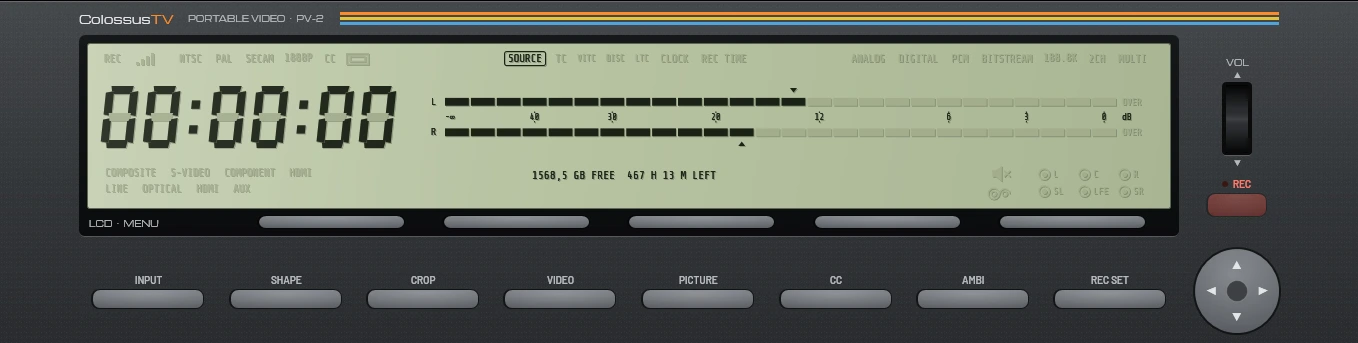
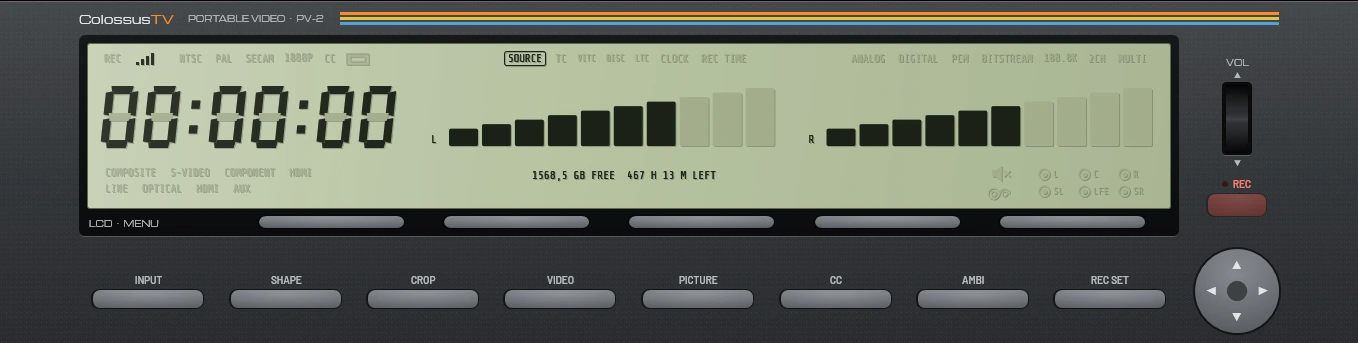
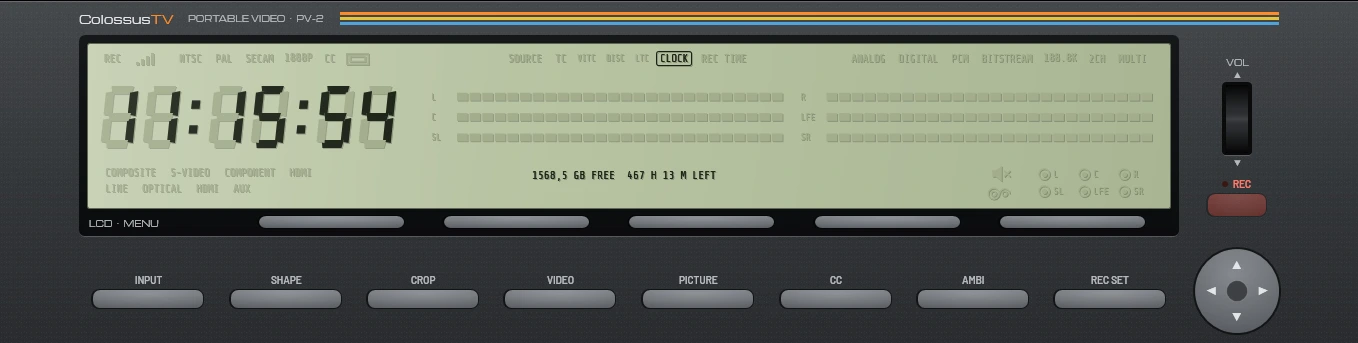
PORTABLE

Portable video recorder, mid 1980s

The PORTABLE faceplate: LCD bar.
LCD bar
The PORTABLE faceplate: LCD blocks.
LCD blocks
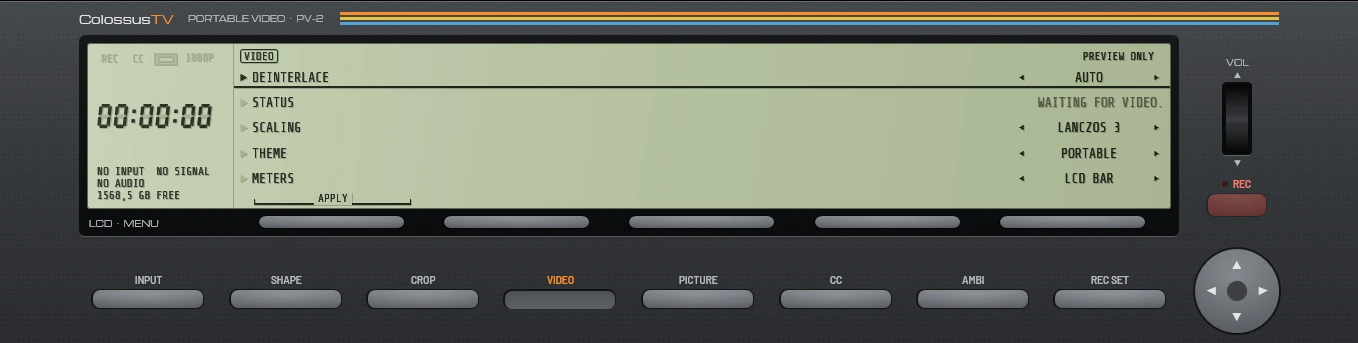
The PORTABLE faceplate: VIDEO menu.
VIDEO menu
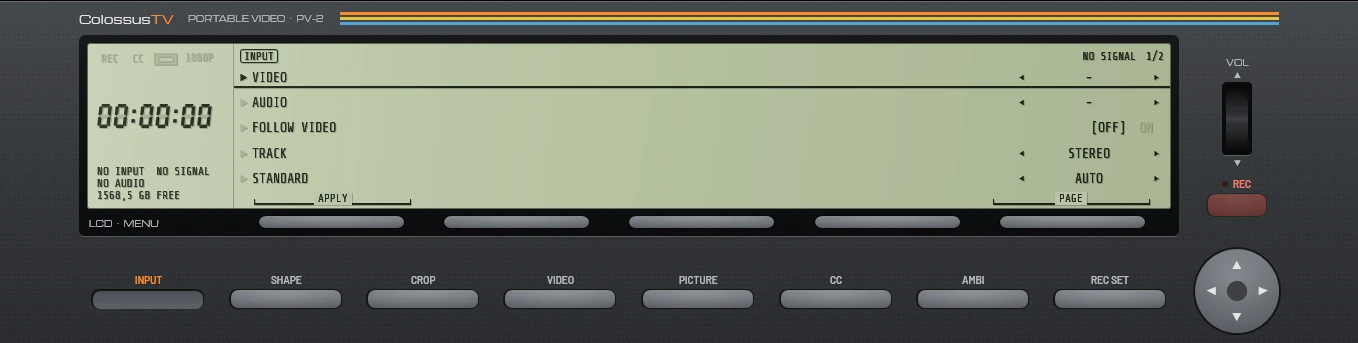
The PORTABLE faceplate: INPUT menu.
INPUT menu
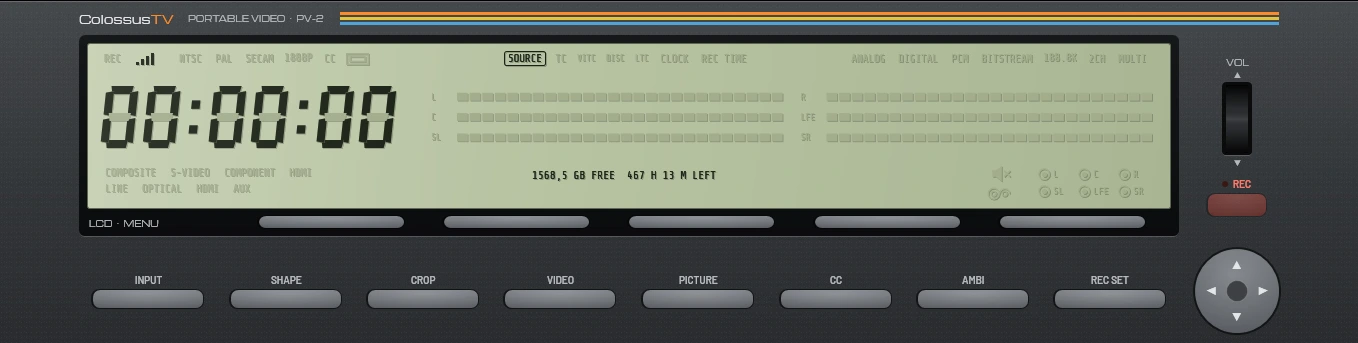
The PORTABLE faceplate: Surround.
Surround
The PORTABLE faceplate: Timecode.
Timecode

A portable video recorder of the mid 1980s: gunmetal plastic, rubber keys and a reflective liquid crystal display.

Its level meters: LCD bar and LCD blocks. A click on the meters, or VIDEO’s METERS line, steps between them.

Download for ColossusTV 0.3.5-beta, MIT licence

Installing a theme

  1. Install ColossusTV, and close it if it is running.
  2. Open its Plugins folder, the one beside ColossusTV.exe: unless you chose another folder when installing, paste %LOCALAPPDATA%\Programs\ColossusTV\Plugins into Explorer’s address bar. The installer makes the folder, empty.
  3. Extract the zip straight into that folder, so the plugin’s .dll is in Plugins itself and not in a folder inside it. The licence and README can stay beside it.
  4. Start ColossusTV. Open VIDEO and step the THEME line: the theme is now among them.

To remove a plugin, close ColossusTV and delete its .dll. A setting that used it is kept and works again when the plugin is back. Upgrading ColossusTV leaves the folder alone. Use the plugins of the same release as the application.

Every plugin, a theme or a deinterlacer alike, is a DLL that ColossusTV loads and runs inside itself. Install plugins only from a source you trust.

These five are MIT licensed and modelled on kinds of machine, not on any maker’s product. The deinterlacers and the NNEDI3 scaler are on the plugins page.